
UI Design Strategy for Vibe Coders: A Practical Guide to Building Better Interfaces with AI
Explore the unique challenges and opportunities faced by vibe coders in UI design
Understanding the Vibe Coder Mindset#
The Psychology Behind Vibe Coding#
Vibe coders are a unique breed of developers who prioritize aesthetics, user experience, and emotional resonance over rigid technical specifications. They understand that a well-designed interface can significantly enhance user engagement and satisfaction. This mindset is rooted in the belief that technology should not only function well but also feel good to use.
Common Pitfalls in Vibe Coder UI Design#
While vibe coders are passionate about creating beautiful interfaces, they often fall into common pitfalls:
- Overemphasis on Aesthetics: Focusing too much on visual appeal can lead to neglecting usability and functionality.
- Lack of Consistency: Inconsistent design elements can confuse users and make the interface look unprofessional.
- Ignoring Accessibility: Overlooking accessibility standards can alienate a significant portion of the user base.
- Overcomplicating Designs: Adding unnecessary complexity can overwhelm users and detract from the overall user experience.
Leveraging AI in UI Design#
AI-Powered Design Tools for Vibe Coders#
AI-powered design tools can significantly enhance the UI design process for vibe coders. These tools can help streamline workflows, provide design suggestions, and even generate code. Some popular AI-powered design tools include:
- Figma: Offers AI-powered design suggestions and plugins that can automate repetitive tasks.
- Adobe XD: Provides AI-driven design recommendations and can generate code from designs.
- Canva: Uses AI to suggest design elements and layouts based on user preferences.
Using AI for Rapid Prototyping#
AI can help vibe coders create and iterate on UI prototypes quickly. Tools like Figma and Adobe XD allow designers to generate multiple design variations in a short time. This rapid prototyping capability enables designers to explore different ideas and make data-driven decisions.
AI-Driven User Experience Optimization#
AI can analyze user behavior and provide insights to improve the user experience. Tools like Hotjar and Google Analytics use AI to track user interactions and provide actionable feedback. This data can help vibe coders make informed decisions about design changes and improvements.
Practical UI Design Strategy for Vibe Coders#
Creating a Vibe Coder-Friendly Design System#
A well-designed system that resonates with the vibe coding community should include:
- Consistent Design Language: Use a consistent color palette, typography, and iconography.
- Modular Components: Create reusable components that can be easily combined and customized.
- Accessibility Guidelines: Ensure that the design system adheres to accessibility standards.
- Documentation: Provide clear documentation and examples to help developers understand and use the design system.
Implementing AI in the Design Process#
Integrating AI tools into your design workflow can significantly improve efficiency and creativity. Here are some ways to implement AI in the design process:
- Design Suggestions: Use AI-powered tools to generate design suggestions and variations.
- Automated Tasks: Automate repetitive tasks like resizing images, generating color palettes, and creating icons.
- Code Generation: Use AI to generate code from designs, reducing the time and effort required for development.
- User Feedback: Use AI to gather and analyze user feedback, providing insights for design improvements.
Testing and Iterating with AI Feedback#
Using AI to gather insights and refine your UI designs based on user feedback can lead to significant improvements. Tools like Hotjar and Google Analytics can provide valuable data on user behavior and preferences. This data can help vibe coders make informed decisions about design changes and improvements.
Case Study: Building Nata Admin with AI#
AI Tools Used in Nata Admin Development#
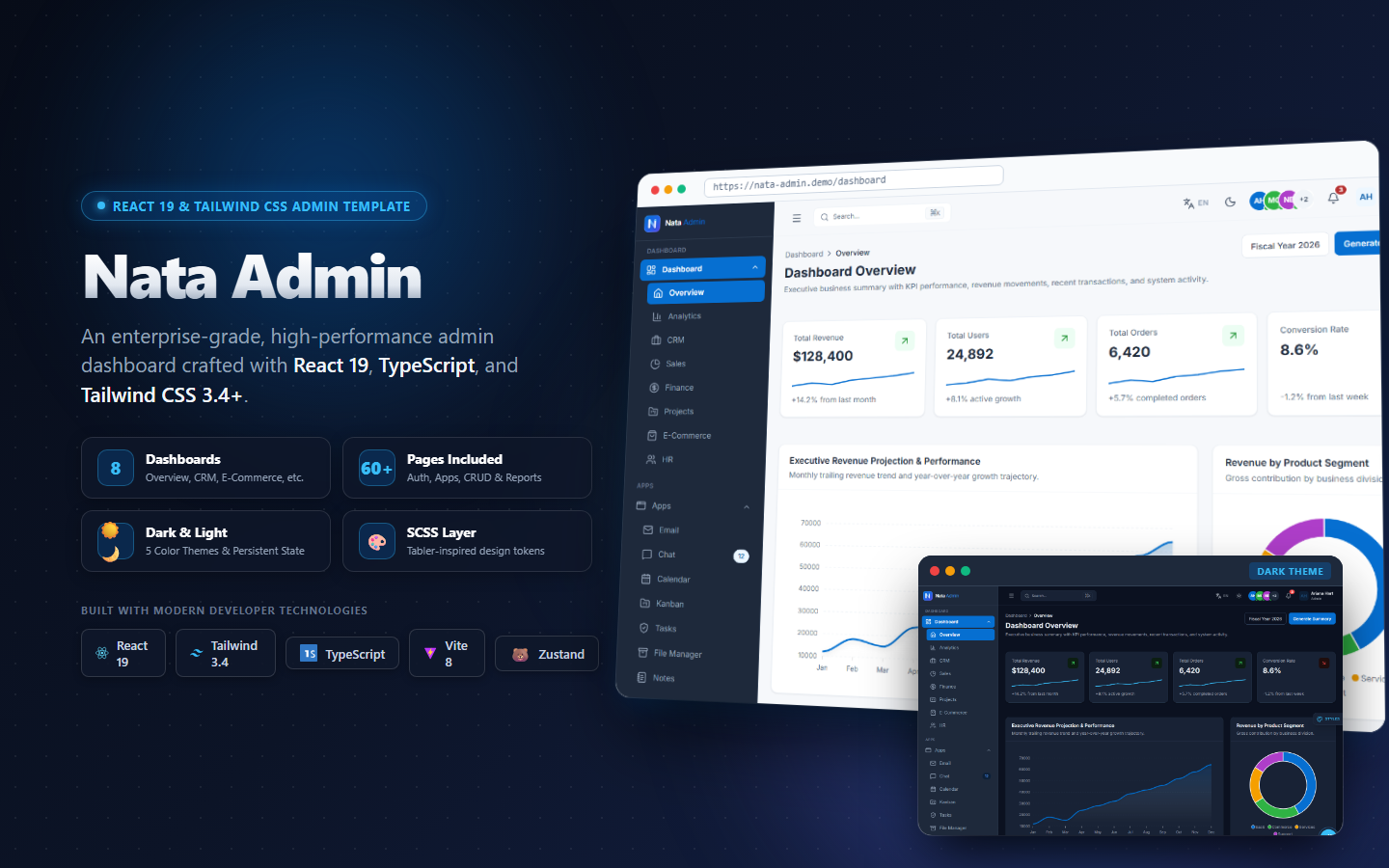
Appiqa leveraged several AI tools in the development of Nata Admin, a React 19 & Tailwind CSS Admin Dashboard Template. These tools included:
- Figma: For design and prototyping.
- Adobe XD: For generating code from designs.
- Hotjar: For gathering user feedback.
- Google Analytics: For analyzing user behavior.
User Feedback and AI Iterations#
The AI-driven feedback loops provided valuable insights into user preferences and behaviors. Based on this feedback, Appiqa made several iterations to improve Nata Admin's user experience. These iterations included:
- Simplified Navigation: Making the navigation menu more intuitive and user-friendly.
- Enhanced Visual Hierarchy: Improving the visual hierarchy to make key information more prominent.
- Accessibility Improvements: Ensuring that the dashboard adheres to accessibility standards.
Lessons Learned from Nata Admin Development#
The development of Nata Admin provided several key takeaways and insights:
- AI Can Enhance Design Efficiency: AI tools can significantly streamline the design process and improve efficiency.
- User Feedback is Crucial: Gathering and analyzing user feedback is essential for making informed design decisions.
- Iteration is Key: Continuous iteration based on user feedback can lead to significant improvements in user experience.
Conclusion: The Future of UI Design for Vibe Coders#
The future of UI design for vibe coders is bright, with AI playing a significant role in enhancing the design process. By leveraging AI-powered tools, vibe coders can create better interfaces that are not only visually appealing but also functional and user-friendly. As AI continues to evolve, we can expect even more innovative tools and techniques to emerge, further enhancing the UI design process.
Next Steps#
To build better interfaces with AI, consider the following steps:
- Explore AI-Powered Design Tools: Experiment with tools like Figma, Adobe XD, and Canva to see how AI can enhance your design workflow.
- Implement AI in Your Design Process: Integrate AI tools into your design process to automate tasks, generate code, and gather user feedback.
- Continuously Iterate: Use AI-driven insights to make continuous improvements to your UI designs based on user feedback.
By following these steps, vibe coders can leverage AI to build better interfaces that resonate with users and enhance their overall experience.
browse our production-ready templates read more developer articles