
Buy vs Build: Why 200 Hours of Custom Animation Boilerplate Loses to a $39 React Component Kit (Motion AI Pro Kit Review)
You can hand-roll a spring physics animation layer, a gesture router, and 40 reduced-motion fallbacks — or you can ship this week. Here's the honest math on building vs buying your motion stack, plus a full teardown of the Motion AI Pro Kit.

💡 Key Takeaways (TL;DR)
- Hand-building a production animation layer costs roughly 180-220 engineering hours before you write a single feature.
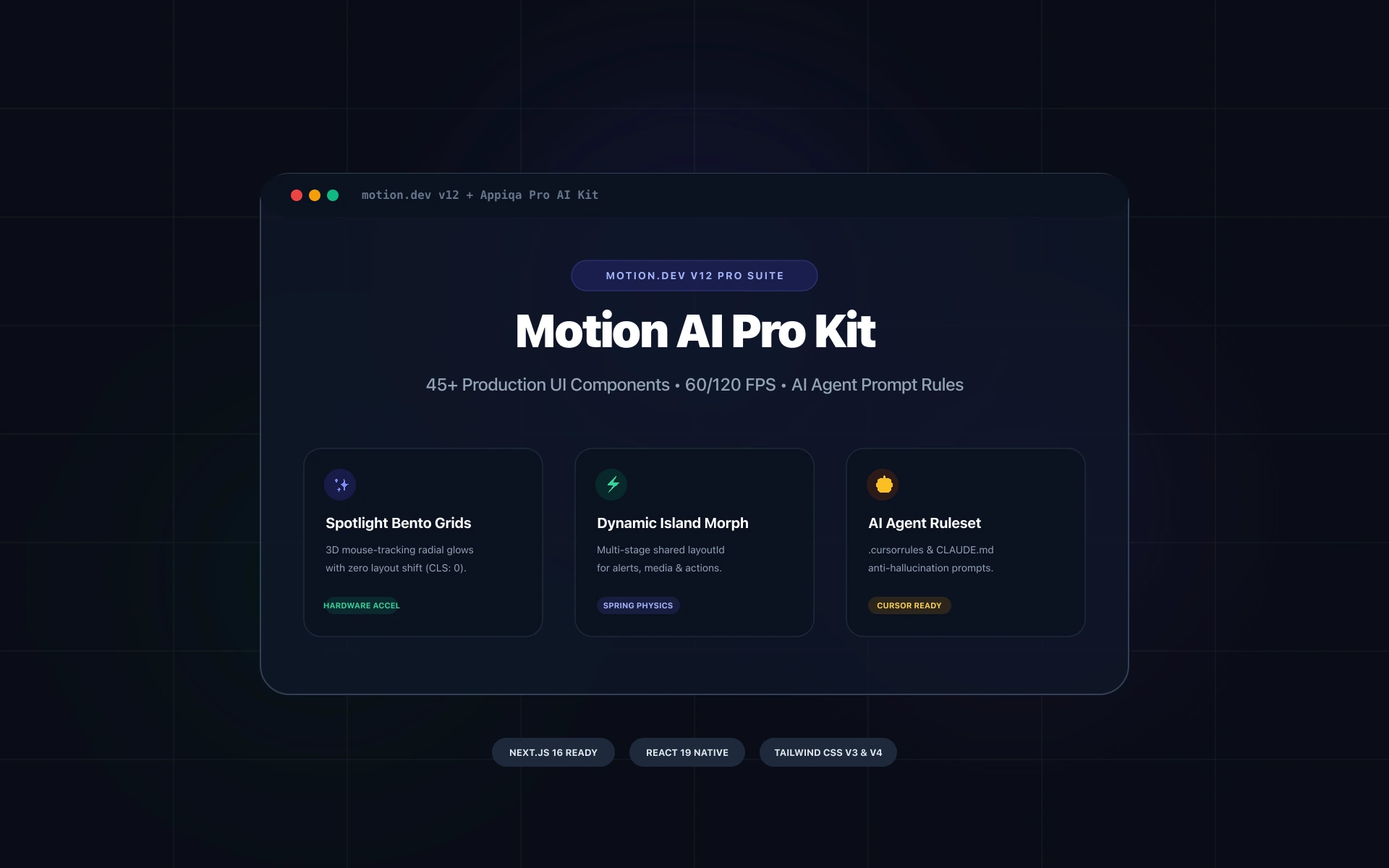
- Motion AI Pro Kit ships strict TypeScript motion primitives, gesture hooks, and reduced-motion fallbacks you can drop into Next.js App Router in minutes.
- The real ROI isn't the $39 — it's the code review hours and accessibility debt you never have to argue about.
Why Your "Quick Animation Polish" Ticket Is Always a 200-Hour Lie#
You know the pattern. The feature is done. The PR is green. Then someone says: "Can we just make it feel a bit more... alive?"
Three weeks later you're debugging useLayoutEffect race conditions, fighting Safari's will-change behavior, and explaining to your PM why the drawer still jitters on Android.
This is the hidden tax of the vibe coding admin template approach — where you build every motion primitive by hand because "it's only a few components." It is never a few components.
Below is the honest build-vs-buy math, followed by a practical teardown of the Motion AI Pro Kit and how you wire it into a Next.js App Router project in under 20 minutes.
The Real Cost of Building Your Own Motion Layer#
What "custom animation boilerplate" actually contains#
When you decide to roll your own motion system for an admin dashboard, you're not writing one component. You're writing a small framework.
| Layer | What You Must Build | Realistic Hours |
|---|---|---|
| Primitives | Fade, slide, scale, stagger wrappers | 18 |
| Spring system | Config presets, duration/easing tokens | 14 |
| Gesture routing | Drag, swipe, pinch, long-press conflicts | 32 |
| Layout animation | Shared element transitions, list reorder | 26 |
| Reduced motion | prefers-reduced-motion fallbacks for every primitive | 16 |
| SSR safety | Hydration-safe mount guards for App Router | 12 |
| Type layer | Generics for variants, strict prop inference | 20 |
| Testing | Vitest + Testing Library motion assertions | 18 |
| Docs & DX | Storybook entries, usage examples | 14 |
| Bug tail | Cross-browser, iOS Safari, Android Chrome | 30+ |
Total: ~200 hours. At a conservative $75/hr blended rate, that's $15,000 — and it still won't be as polished as a kit maintained by people whose entire job is motion.
The costs that never show up in the estimate#
- Code review drag. Every reviewer now needs motion expertise. Reviews get slower, opinions get louder.
- Accessibility debt. Reduced-motion support is the first thing cut under deadline pressure. Then it becomes an audit finding.
- Onboarding tax. A new dev joins. They must learn your spring config, your gesture router, your naming conventions.
- Maintenance rot. React 19, Next.js 15, and Framer Motion major versions all land. You own every migration.
The kit isn't $39. The kit is $39 instead of $15,000 of engineering time you could have spent on revenue features.
What a Production-Grade Motion Kit Actually Gives You#
Strict TypeScript, not "types-ish"#
This is where most free snippets fall apart. You get any, you get loose string unions, and autocomplete becomes a guessing game.
A serious kit ships discriminated unions and generic inference:
// motion-presets.ts
export type MotionVariant = 'fade' | 'slideUp' | 'scaleIn' | 'stagger';

export interface MotionConfig<T extends MotionVariant> {
  variant: T;
  duration?: number;
  delay?: number;
  /** Ignored when the user prefers reduced motion. */
  respectReducedMotion?: boolean;
}

export interface StaggerConfig extends MotionConfig<'stagger'> {
  staggerChildren: number;
  direction: 'forward' | 'reverse';
}

export function resolveMotion<T extends MotionVariant>(
  config: MotionConfig<T>
): { initial: object; animate: object; transition: object } {
  const { variant, duration = 0.28, delay = 0 } = config;
  const base = { duration, delay, ease: [0.22, 1, 0.36, 1] as const };

  switch (variant) {
    case 'fade':
      return { initial: { opacity: 0 }, animate: { opacity: 1 }, transition: base };
    case 'slideUp':
      return {
        initial: { opacity: 0, y: 12 },
        animate: { opacity: 1, y: 0 },
        transition: base,
      };
    case 'scaleIn':
      return {
        initial: { opacity: 0, scale: 0.96 },
        animate: { opacity: 1, scale: 1 },
        transition: base,
      };
    default:
      return { initial: {}, animate: {}, transition: base };
  }
}
Notice the exhaustive switch. Add a new variant and TypeScript fails the build until you handle it. That's the difference between a kit and a snippet dump.
Reduced motion is a first-class citizen#
// use-reduced-motion.ts
'use client';
import { useEffect, useState } from 'react';

export function useReducedMotion(): boolean {
  const [reduced, setReduced] = useState(false);

  useEffect(() => {
    const query = window.matchMedia('(prefers-reduced-motion: reduce)');
    setReduced(query.matches);
    const handler = (e: MediaQueryListEvent) => setReduced(e.matches);
    query.addEventListener('change', handler);
    return () => query.removeEventListener('change', handler);
  }, []);

  return reduced;
}
Every animated primitive in the kit pipes through this hook. You don't have to remember. That's the whole point.
SSR-safe by default#
Next.js App Router hydration mismatches from animation libraries are a rite of passage. A good kit ships a mount guard so you never see that warning again:
'use client';
import { useEffect, useState, type ReactNode } from 'react';

export function MotionSafe({ children, fallback = null }: {
  children: ReactNode;
  fallback?: ReactNode;
}) {
  const [mounted, setMounted] = useState(false);
  useEffect(() => setMounted(true), []);
  return <>{mounted ? children : fallback}</>;
}
Step-by-Step: Dropping the Kit Into Your Next.js App#
Step 1 — Install and confirm peer versions#
pnpm add motion-ai-pro-kit framer-motion
# verify
pnpm why framer-motion
Step 2 — Wrap your app shell once#
// app/layout.tsx
import { MotionProvider } from 'motion-ai-pro-kit';

export default function RootLayout({ children }: { children: React.ReactNode }) {
  return (
    <html lang="en">
      <body>
        <MotionProvider defaultDuration={0.28} respectReducedMotion>
          {children}
        </MotionProvider>
      </body>
    </html>
  );
}
Step 3 — Replace hand-rolled wrappers with primitives#
Before:
// 40 lines of hand-tuned motion.div with magic numbers
<motion.div
  initial={{ opacity: 0, y: 20 }}
  animate={{ opacity: 1, y: 0 }}
  transition={{ duration: 0.4, ease: 'easeOut', delay: 0.1 }}
/>
After:
import { Fade, SlideUp, Stagger } from 'motion-ai-pro-kit';

<Stagger delay={0.05} staggerChildren={0.06}>
  {metrics.map((m) => (
    <SlideUp key={m.id}>
      <MetricCard {...m} />
    </SlideUp>
  ))}
</Stagger>
Step 4 — Migrate your tables and drawers#
Data tables are where motion boilerplate gets ugliest — row reorder, expand/collapse, sticky headers. The kit ships these as composed units rather than primitives you must assemble.
import { AnimatedTable, AnimatedDrawer } from 'motion-ai-pro-kit';

<AnimatedTable
  data={rows}
  columns={columns}
  rowKey="id"
  reorderable
  onReorder={(next) => setRows(next)}
/>

<AnimatedDrawer side="right" open={open} onOpenChange={setOpen}>
  <EditUserForm user={user} />
</AnimatedDrawer>
Step 5 — Verify the win in CI#
pnpm vitest run --coverage
# target: motion primitives covered, zero hydration warnings in e2e
Add one Playwright assertion and you've locked accessibility in permanently:
await page.emulateMedia({ reducedMotion: 'reduce' });
await page.goto('/dashboard');
await expect(page.getByRole('dialog')).toBeVisible();
// assert no transition duration > 0
Best Practices for Shipping Motion Without Regret#
Keep motion tokens in one place#
Never scatter durations. Define them once and import everywhere. When design says "make it snappier," it's a one-line change, not a 60-file PR.
Use transform and opacity only#
Animating width, height, top, or left triggers layout on every frame. On a dashboard with 30 animated rows, that's the difference between 60fps and a stutter.
| Animate This | Not This | Why |
|---|---|---|
transform | top / left | Compositor-only, no layout |
opacity | visibility | GPU-accelerated |
scale | width / height | Avoids reflow of siblings |
clip-path | border-width | Cheaper paint |
Budget your motion#
Aim for under 300ms for UI feedback and under 500ms for page-level transitions. Anything longer and users perceive the app as slow, no matter how beautiful the easing curve.
Treat reduced motion as a feature, not a checkbox#
prefers-reduced-motion users aren't edge cases — they're often the same enterprise buyers doing your security review. Ship it properly.
Make it reviewable#
Because the kit is typed and centralized, a reviewer can approve a motion PR in 30 seconds. That's a compounding win on every future sprint, and it's the strongest argument in the buy-vs-build debate.
FAQ#
Is a paid motion kit worth it if I only need a few animations?#
If you truly need three fade-ins and nothing else, hand-roll them. The moment you need drag gestures, layout transitions, reduced-motion fallbacks, and SSR guards, you've crossed into framework territory — and 200 hours of boilerplate is a bad trade for $39.
Will it conflict with my existing Framer Motion setup?#
No. The kit composes on top of Framer Motion rather than replacing it. You keep using motion.div directly wherever you want, and adopt primitives incrementally.
How does this help with a vibe coding admin template workflow?#
A vibe coding admin template is about velocity: you describe the UI, generate it, and ship. Motion is the one layer AI generation consistently gets wrong — timing, accessibility, and SSR safety. A typed kit gives you a deterministic foundation so generated code has something correct to compose against.
What about bundle size?#
Primitives are tree-shakeable. Importing Fade, SlideUp, and Stagger adds a few kilobytes gzipped on top of Framer Motion, which you're likely already shipping.
The Bottom Line#
You have two paths. Spend roughly 200 hours building a motion layer that your team will maintain forever, review slowly, and quietly abandon on accessibility. Or spend $39, wire it in before your standup ends, and put those 200 hours into the feature that actually moves your roadmap.
For a Next.js team that cares about strict TypeScript, code review speed, and shipping on time, the math isn't close.
Frequently Asked Questions#
Is a paid React motion kit worth it compared to building custom animation boilerplate?#
If you only need two or three simple fades, hand-roll them. But once you need gesture handling, layout transitions, reduced-motion fallbacks, SSR-safe mount guards, and strict TypeScript generics, you're building a framework — roughly 200 hours of work. A $39 kit that is already typed, tested, and accessibility-complete pays for itself on the first PR review.
Will the Motion AI Pro Kit conflict with my existing Framer Motion setup in Next.js?#
No. The kit composes on top of Framer Motion rather than replacing it. You can continue using motion.div directly where you want fine control, and adopt primitives like Fade, SlideUp, Stagger, AnimatedTable, and AnimatedDrawer incrementally, file by file, with no breaking changes to your existing animation code.
How does a motion component kit fit into a vibe coding admin template workflow?#
A vibe coding admin template is all about speed: you describe the UI, generate it, and ship. Motion is the layer AI generation reliably gets wrong — timing curves, accessibility, and SSR hydration safety. A typed kit gives your generated components a deterministic, correct foundation to compose against, so you stop debugging jitter and start shipping features.
Does the kit add significant bundle size to my Next.js app?#
Primitives are individually exported and tree-shakeable. Importing Fade, SlideUp, and Stagger adds only a few kilobytes gzipped on top of Framer Motion, which most animated Next.js apps already ship. You only pay for the components you actually import.
Ready to Ship Motion Without the 200-Hour Tax?#
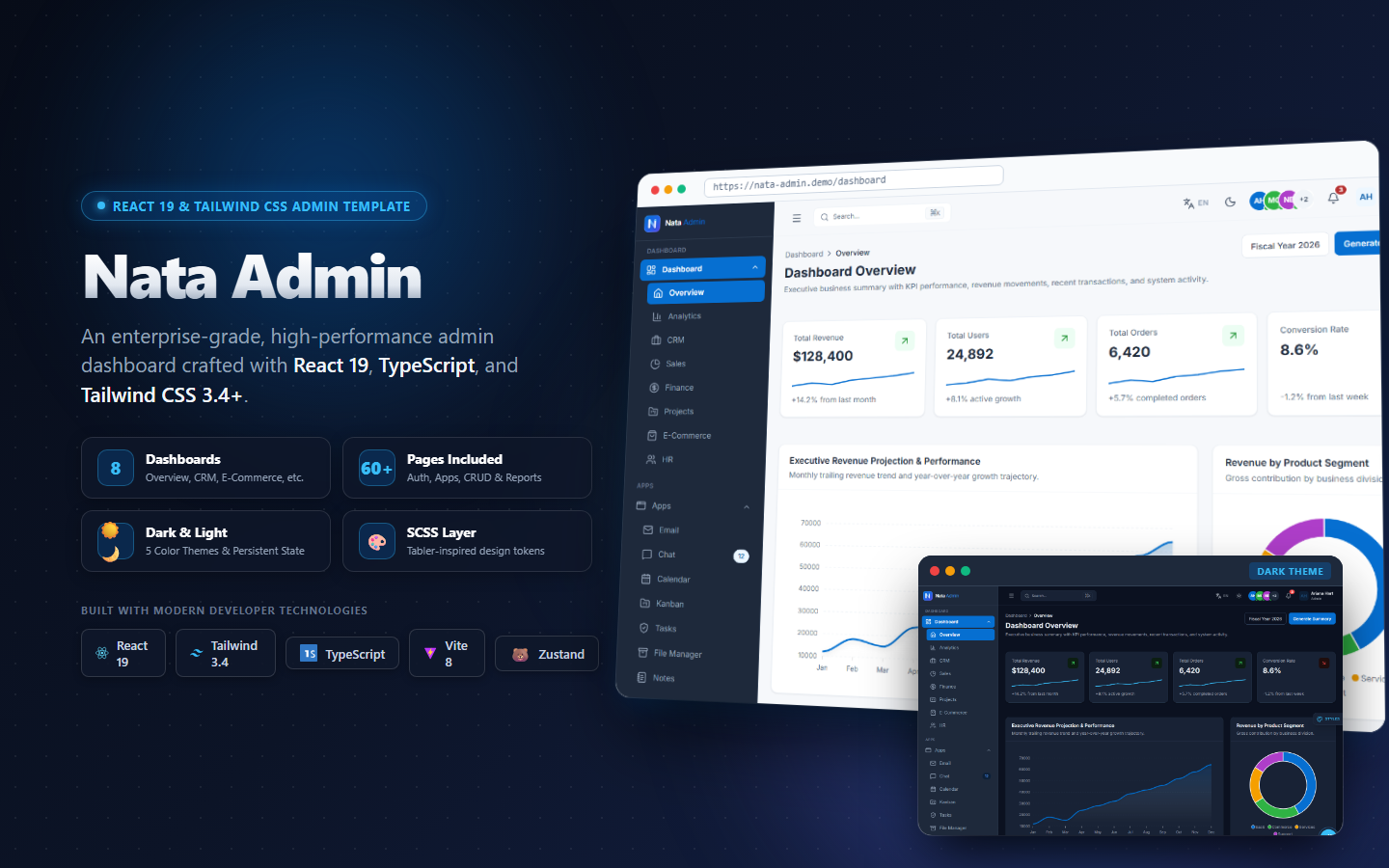
Skip the boilerplate. Get the Motion AI Pro Kit — strict TypeScript primitives, reduced-motion fallbacks, and SSR-safe components ready for your Next.js App Router project. Includes Nata Admin Pro.